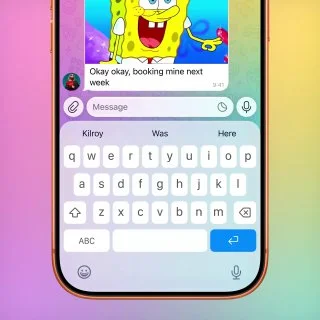
Telegram Tips @TelegramTips 10.03.2026 03:11 Скопировать Пожаловаться Captions for GIFs. When selecting a GIF in the GIF panel, you can add a caption directly to it, and send it all as one message. GIFs can also be edited before sending – to add text, drawings and emoji or to trim the GIF and change its length. To add a caption or edit a GIF, press and hold it in the panel and select 'Edit'. 5.5K 5.6M


Обсуждение 0
Обсуждение не доступно в веб-версии. Чтобы написать комментарий, перейдите в приложение Telegram.
Обсудить в Telegram